
Introduction
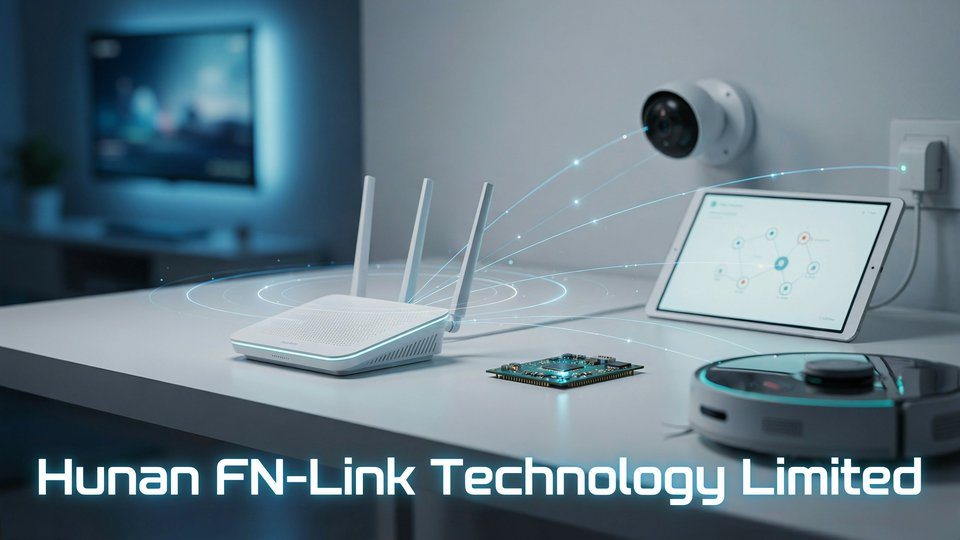
Have you ever checked your Wi-Fi router and noticed the name Hunan FN-Link Technology Limited connected to your network? For many users, this unfamiliar name can look confusing or even suspicious. The good news is that it often refers to the wireless module inside a smart device, not necessarily an unknown threat.
In this article, you will learn what Hunan FN-Link Technology Limited is, why it may appear on your router, what products and modules the company makes, and how to identify related devices on your network. This guide gives you clear, practical, and easy-to-understand information so you can manage your connected devices with confidence and avoid unnecessary worry.
What Is Hunan FN-Link Technology Limited?
Hunan FN-Link Technology Limited is connected with the broader FN-Link brand, which focuses on wireless communication modules and related system solutions. The company’s business is mainly centered on Wi-Fi modules, Bluetooth modules, Wi-Fi plus Bluetooth combo modules, IoT modules, AIoT solutions, antennas, dongles, and other connectivity products.
In simple words, the company manufactures small electronic modules that help devices connect wirelessly. These modules are usually installed inside other products. For example, when a smart camera connects to your Wi-Fi network, the camera brand may not have designed the wireless chip or module itself. Instead, it may use a ready-made module from a supplier such as FN-Link. That is why your router may display the module maker’s name instead of the final product brand.
This is common across the electronics industry. Many consumer devices contain components made by companies that users never see on the product box. A laptop may use a Wi-Fi card from one company, a screen panel from another, and a battery from another. Similarly, an IoT device may use a wireless communication module from Hunan FN-Link Technology Limited while being sold under a completely different brand name.
Why Does Hunan FN-Link Technology Limited Appear on My Network?
One of the most common reasons people search for Hunan FN-Link Technology Limited is because the name appears in their router’s connected devices list. This can be confusing, especially when the user does not own any product with that brand name.
In many cases, this happens because your router identifies a device by its MAC address. Every network device has a unique hardware address called a MAC address. The first part of that address is often linked to the manufacturer of the network interface or wireless module. If the wireless module inside your smart device comes from Hunan FN-Link Technology Limited, your router may display that name even though the actual product is from another brand.
For example, the device may be a smart TV, Wi-Fi camera, robot vacuum, smart plug, streaming box, printer, solar inverter monitor, thermostat, or another IoT product. The visible name on the device and the network manufacturer name do not always match. This does not automatically mean your network has been hacked. It usually means one of your connected products contains a Wi-Fi or Bluetooth module supplied by that company.
What Products Does Hunan FN-Link Technology Limited Make?
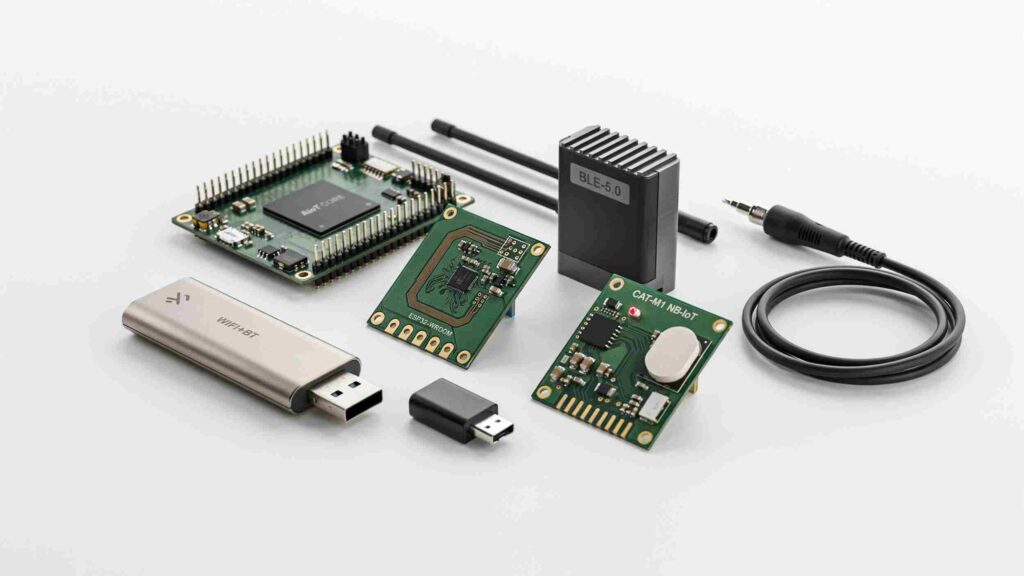
Hunan FN-Link Technology Limited and the FN-Link brand are associated with a broad range of wireless communication products. These products are designed for device manufacturers, developers, industrial clients, and brands that need embedded connectivity.
1. Wi-Fi Modules
Wi-Fi modules are among the company’s main product categories. These modules allow devices to connect to wireless networks. They may support 2.4 GHz Wi-Fi, 5 GHz Wi-Fi, or newer standards such as Wi-Fi 6, depending on the model.
Wi-Fi modules are used in smart home devices, multimedia products, tablets, cameras, industrial controllers, network devices, and many other electronic products. They are valuable because they help manufacturers add wireless connectivity without designing the entire radio system from scratch.
2. Bluetooth Modules
Bluetooth modules allow devices to connect over short distances. These modules are commonly used in audio products, wearables, remote controls, smart appliances, medical devices, and IoT sensors. Bluetooth Low Energy, often called BLE, is especially important for battery-powered devices because it uses less power than traditional Bluetooth connections.
3. Wi-Fi and Bluetooth Combo Modules
Many modern devices need both Wi-Fi and Bluetooth. For example, a smart speaker may use Bluetooth for pairing and Wi-Fi for internet streaming. A tablet may use Wi-Fi for network access and Bluetooth for headphones or accessories. Combo modules combine both technologies in a compact form, saving space and simplifying product design.
4. IoT Modules
IoT modules are built for connected devices that communicate with apps, cloud services, sensors, or automation systems. These modules are used in smart homes, industrial monitoring, asset tracking, environmental sensors, energy systems, and connected appliances.
5. AIoT Solutions
AIoT stands for Artificial Intelligence of Things. It refers to devices that combine IoT connectivity with intelligent processing, automation, data analysis, or edge computing. FN-Link’s product categories include AIoT-related modules and solutions, which may be used in smart devices that require both connectivity and intelligent functions.
6. PLC-IoT Products
PLC stands for Power Line Communication. PLC-IoT products use electrical wiring as a communication path. This can be useful in smart energy systems, lighting control, industrial automation, and building management systems where wireless signals may not always be ideal.
7. Wi-Fi Dongles and Antennas
The company is also associated with Wi-Fi dongles and antennas. Antennas are essential in wireless communication because they affect signal quality, range, and stability. Dongles can add Wi-Fi capability to devices through USB or similar interfaces.
Industries That Use FN-Link Wireless Modules
Wireless modules are not limited to one industry. They are used wherever electronic products need internet, Bluetooth, or local network communication.
Smart Home Industry
Smart home products are one of the biggest markets for Wi-Fi and Bluetooth modules. Devices such as smart plugs, smart lights, home cameras, robot vacuums, door locks, air conditioners, and smart speakers all need reliable connectivity. Instead of building wireless systems from the ground up, many brands use certified modules from specialized suppliers.
Consumer Electronics
Tablets, laptops, projectors, set-top boxes, media players, televisions, and audio devices often require compact Wi-Fi and Bluetooth solutions. Wireless modules help manufacturers reduce development time and bring products to market faster.
Security and Surveillance
Security cameras, video doorbells, baby monitors, and alarm systems require stable wireless connections. A module inside the device handles communication between the camera, mobile app, cloud storage, and local network.
Industrial IoT
Industrial IoT devices are used in factories, warehouses, energy systems, transportation, agriculture, and automation. These devices may collect sensor data, monitor machines, send alerts, or connect equipment to cloud dashboards. Wireless modules make these systems easier to deploy and manage.
Healthcare and Wearables
Bluetooth and BLE modules are used in wearables, health monitors, fitness trackers, and portable medical devices. Low-power connectivity is especially important in these products because battery life matters.
Automotive and Mobility Devices
Some automotive accessories, diagnostic tools, e-bikes, charging systems, and mobility products use wireless modules for communication, monitoring, or app-based control.
Why Manufacturers Use Third-Party Wireless Modules
Developing a wireless module from scratch is expensive, time-consuming, and technically complex. A manufacturer must handle radio design, antenna tuning, firmware, driver support, compliance testing, certification, and production quality. For many brands, buying a ready-made module from a supplier is more practical.
Third-party modules offer several advantages. They reduce development time, lower engineering costs, simplify certification, and help companies focus on their main product. For example, a smart appliance company can focus on appliance design while using a wireless module supplier for connectivity.
This is why companies like Hunan FN-Link Technology Limited are important in the electronics supply chain. They provide building blocks that other manufacturers use inside finished products.
Is Hunan FN-Link Technology Limited a Device or a Manufacturer?
Hunan FN-Link Technology Limited is best understood as a manufacturer or supplier of wireless modules, not necessarily the brand of the final device in your home. If you see the name on your network, it usually identifies the internal network hardware rather than the complete product.
For example, a device could be sold under a well-known smart home brand, but the Wi-Fi module inside it may be made by FN-Link. Your router may detect the module manufacturer because of the MAC address. This is similar to seeing Intel, Realtek, Espressif, MediaTek, Broadcom, or other component makers appear in network tools.
Should You Be Worried If You See Hunan FN-Link Technology Limited?
Not automatically. Seeing Hunan FN-Link Technology Limited on your router does not by itself mean there is a security problem. It usually means one of your devices contains a wireless module from that manufacturer.
However, it is still smart to identify every device connected to your network. Unknown devices should never be ignored. If you see this name and do not know what it is, you should take a few practical steps.
First, check all smart devices in your home, including cameras, TVs, plugs, speakers, robot vacuums, air purifiers, printers, set-top boxes, and smart appliances. Second, compare the device’s IP address and connection time with when certain products are switched on. Third, temporarily turn off suspected devices and see whether the unknown network entry disappears. Fourth, check the MAC address in your router and compare it with labels, apps, or device settings.
If you still cannot identify the device, you can block it temporarily from the router and see what stops working. This can help you discover whether it belongs to one of your own products.
Security Tips for Devices Using Wireless Modules
The security of a connected device depends on much more than the wireless module manufacturer. It also depends on the final product brand, firmware, app security, cloud service, password settings, update policy, and user behavior.
To keep your network safer, use a strong Wi-Fi password and avoid old encryption methods. WPA2 or WPA3 is recommended when available. Keep your router firmware updated. Change default passwords on smart devices. Use a separate guest network or IoT network for smart home products. Remove devices you no longer use. Update device firmware through official apps when updates are available.
If your router supports device labeling, rename each connected device so you can recognize it later. For example, label entries as “Living Room TV,” “Robot Vacuum,” “Kitchen Camera,” or “Smart Plug.” This makes it much easier to notice anything unusual.
Certifications and Compliance
Wireless products usually need regulatory approvals before they can be sold in major markets. Certifications may relate to radio frequency safety, electromagnetic compatibility, environmental standards, and Bluetooth qualification. Public product listings and device databases show multiple FN-Link-related wireless modules with certification references such as FCC, CE, SRRC, IC, TELEC, KCC, BQB, RoHS, and REACH, depending on the model and market.
Certifications matter because wireless modules transmit radio signals. Governments and industry bodies require testing to ensure devices operate within approved frequency ranges and do not create harmful interference. For manufacturers, using pre-certified modules can reduce the time and complexity of launching a product in different regions.
Hunan FN-Link Technology Limited and the IoT Market
The IoT market continues to grow as more devices become connected. Homes, offices, factories, vehicles, farms, and cities are using connected devices to collect data, automate tasks, improve safety, and reduce manual work. Wireless modules are the foundation of this growth.
A product cannot be truly “smart” unless it can communicate. Whether it sends data to a mobile app, connects to a cloud server, receives firmware updates, or works with voice assistants, it needs reliable connectivity. Companies that produce Wi-Fi, Bluetooth, and IoT modules are therefore important behind-the-scenes players in the smart technology industry.
Hunan FN-Link Technology Limited fits into this ecosystem by supplying the connectivity hardware that other companies integrate into their products. Its modules help shorten development cycles and support a wide range of connected applications.
Common Devices That May Contain FN-Link Modules
A wide variety of products may contain FN-Link modules. These can include smart TVs, Android TV boxes, Wi-Fi cameras, security systems, robot vacuums, smart plugs, smart bulbs, tablets, laptops, printers, projectors, industrial controllers, energy monitoring devices, and connected appliances.
Because these modules are embedded inside finished products, the user may never see the FN-Link name unless they check router logs, MAC vendor lookup tools, FCC records, or device hardware information. This is one reason many people become curious about the company only after seeing the name in a network list.
How to Identify Which Device Is Hunan FN-Link on Your Router
If your router shows Hunan FN-Link Technology Limited and you want to know which device it is, follow a simple process.
Start by checking the connected device details in your router. Note the IP address, MAC address, connection type, signal strength, and online time. Then open the apps for your smart home devices and compare device names or IP addresses where available.
Next, turn off one smart device at a time. Wait a minute and refresh your router’s connected device list. If the Hunan FN-Link entry disappears after switching off a certain product, you have likely found the device.
You can also check the device label or user manual. Some products display a MAC address on the box, sticker, settings menu, or mobile app. If it matches the router entry, the mystery is solved.
If nothing matches, temporarily block the device from your router. Then check which product loses internet access or stops working properly. Be careful not to block important devices such as security systems, medical devices, or work equipment without understanding the impact.
Difference Between Hunan FN-Link and the Final Product Brand
The difference between a module manufacturer and a final product brand is important. Hunan FN-Link Technology Limited may provide the internal wireless module, while another company designs, markets, and sells the final device.
For example, imagine a smart camera sold under Brand A. Brand A designs the camera body, app experience, packaging, and cloud service. But the Wi-Fi module inside the camera may be supplied by FN-Link. When your router reads the MAC address, it may show the module supplier instead of Brand A.
This is normal in electronics manufacturing. Most modern products are made through a supply chain involving many component suppliers.
Benefits of FN-Link Type Wireless Modules
Wireless modules offer several benefits for product makers. They are compact, cost-effective, and ready for integration. They may include hardware, firmware support, reference designs, and certification support. This allows manufacturers to reduce engineering risk and focus on product features.
For small and medium manufacturers, module-based design can be especially useful. It gives them access to wireless technology without needing a large radio engineering team. For larger companies, it can speed up product development and support multiple product lines.
Challenges in Wireless Module Integration
Although wireless modules simplify development, they still require careful integration. Product designers must consider antenna placement, enclosure material, signal interference, power supply stability, firmware compatibility, heat management, and regulatory requirements.
Poor antenna placement can reduce Wi-Fi range. Weak power design can cause unstable connections. Outdated firmware can create security risks. This means the final product quality depends not only on the module but also on how well the product manufacturer integrates it.
Is Hunan FN-Link Technology Limited Safe?
There is no general reason to assume that a device is unsafe only because it uses a module from Hunan FN-Link Technology Limited. Many well-known devices use third-party modules from different suppliers. Safety depends on the complete device, its firmware, the app, the cloud service, and the way it is configured.
However, every connected device should be treated with basic cybersecurity awareness. Keep unknown devices off your network, use strong passwords, update firmware, avoid cheap devices with poor support, and separate IoT devices from your main personal devices whenever possible.
Buying or Sourcing FN-Link Products
Businesses interested in wireless modules usually evaluate technical specifications before choosing a supplier. Important details include supported Wi-Fi standards, Bluetooth version, interface type, antenna options, module size, operating temperature, power consumption, certifications, driver support, chipset, software development kit, and long-term availability.
For product developers, it is also important to request datasheets, evaluation boards, hardware design kits, software development kits, certification documents, and integration guidelines. These resources help engineers test the module before mass production.
The Role of MAC Address Vendor Names
A MAC vendor name is not always the same as the product brand. This is a key point for anyone trying to identify network devices. Vendor names come from registered address blocks assigned to hardware manufacturers. If a Wi-Fi module manufacturer owns the address block, the router may display that company’s name.
This is why you may see names like Hunan FN-Link Technology Limited, Realtek, Espressif, Liteon, Murata, AzureWave, Hon Hai, or other component makers instead of the actual device brand. The router is not always smart enough to know the final consumer product.
Final Thoughts
Hunan FN-Link Technology Limited may seem unfamiliar when it appears on your Wi-Fi router, but it usually refers to the wireless module inside a smart device. Many products, such as smart TVs, cameras, robot vacuums, smart plugs, tablets, and IoT devices, use third-party Wi-Fi or Bluetooth modules. This means the name shown on your network is often the component manufacturer, not the actual product brand.
The best approach is to identify the connected device before assuming there is a security threat. You can check the MAC address, compare your smart devices, or turn devices off one by one to find the match. At the same time, using strong passwords, updating firmware, and keeping IoT devices on a separate network can help improve your overall security. Once you understand what Hunan FN-Link Technology Limited means, you can manage your network with more confidence and less confusion.
FAQs About Hunan FN-Link Technology Limited
1. What is Hunan FN-Link Technology Limited?
Hunan FN-Link Technology Limited is a wireless module manufacturer linked with Wi-Fi, Bluetooth, and IoT connectivity products used inside smart devices.
2. Why does Hunan FN-Link Technology Limited appear on my router?
It usually appears because one of your connected smart devices contains a Wi-Fi or Bluetooth module made by Hunan FN-Link Technology Limited.
3. Is Hunan FN-Link Technology Limited a hacker?
No, it does not automatically mean a hacker is on your network. It usually refers to the manufacturer of a wireless module inside a device.
4. What products does Hunan FN-Link Technology Limited make?
The company is associated with Wi-Fi modules, Bluetooth modules, combo modules, IoT modules, AIoT products, antennas, and Wi-Fi dongles.
5. Which devices may use FN-Link modules?
Smart TVs, Wi-Fi cameras, robot vacuums, smart plugs, tablets, printers, security systems, and IoT devices may use FN-Link modules.
6. Why does my router show Hunan FN-Link instead of the device brand?
Routers often identify devices by MAC address. If the MAC address belongs to the wireless module, the router may show FN-Link instead of the product brand.
7. How can I identify the Hunan FN-Link device on my network?
Check the MAC address and IP address in your router, then turn smart devices off one by one to see which device disappears from the list.
8. Should I block Hunan FN-Link Technology Limited from my router?
Do not block it immediately unless you are sure it is unknown. It may belong to a smart device you already own.
9. Is a device with Hunan FN-Link Technology Limited safe?
A device is not unsafe only because it uses an FN-Link module. Its safety depends on the final product brand, firmware, app security, and settings.
10. How can I secure devices using FN-Link modules?
Use a strong Wi-Fi password, update router firmware, change default device passwords, and keep smart devices on a separate IoT or guest network.
11. Are FN-Link modules used in smart home devices?
Yes, FN-Link modules can be used in smart home devices that need Wi-Fi, Bluetooth, or IoT connectivity.
12. What should I do if I cannot identify the Hunan FN-Link device?
Review all connected smart devices, compare MAC addresses, check device apps, or temporarily block the device to see what stops working.
Continue Reading
Snapjotz Com Complete Guide: Maximize Productivity And Results