
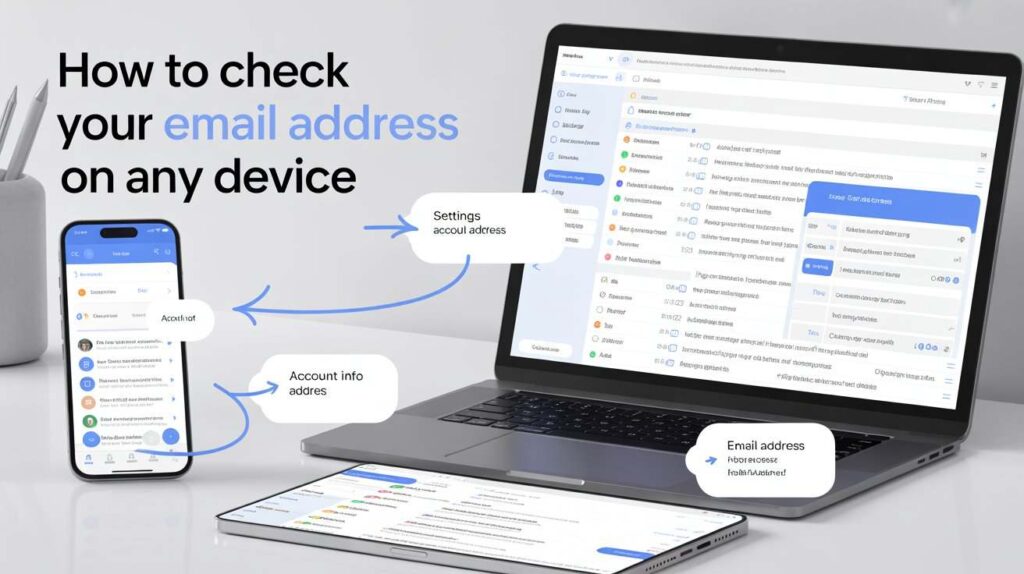
If you are searching for how to check your email address, you are likely trying to access your inbox, recover your account, or simply understand the proper way to log in securely. Email is one of the most essential digital tools in modern life. It connects you to job opportunities, online services, educational institutions, financial accounts, and personal communication. Knowing how to properly check your email ensures you stay informed, organised, and secure in today’s connected world.
Email may appear simple on the surface, but many users still face confusion when switching devices, forgetting passwords, or accessing accounts for the first time. This comprehensive guide explains everything in clear language so that anyone, regardless of technical skill level, can confidently check their email address on any device.
Understanding What It Means to Check Your Email Address
Before going further, it is important to understand what people actually mean when they ask how to check your email address. In most cases, they want to log in to their inbox and read messages. Sometimes, however, they are unsure what their email address is or where it is stored.
An email address acts as your digital identity. It typically consists of a unique user name, followed by the “@” symbol, and then the service provider’s domain, for example gmail.com or outlook.com. When someone sends you an email, it is delivered to your provider’s server and stored safely until you log in to read it. Checking your email simply means accessing that stored inbox through a browser or an app.
How to Check Your Email Address on a Computer
Checking your email on a desktop or laptop computer is one of the easiest methods. Begin by opening a web browser such as Google Chrome, Microsoft Edge, Mozilla Firefox, or Safari. In the address bar, type the official website of your email provider. For example, if you use Gmail, visit gmail.com. If you use Outlook, visit outlook.com.
Once the website loads, you will see a login page asking for your email address and password. Enter your full email address carefully, making sure there are no spelling errors. Then type your password. Passwords are case-sensitive, so pay attention to capital letters. After clicking the sign-in button, your inbox will appear. From there, you can read new emails, reply to messages, delete unwanted mail, and organise your folders.
How to Check Your Email Address on a Smartphone
Most people today prefer checking email on their smartphones. No matter if you are on an Android device or an iPhone, the steps are straightforward and easy to follow. Smartphones usually come with a built-in email application, or you can download your provider’s official app from the app store.
When you open the app for the first time, you will be prompted to add your email account. Enter your email address and password. Once verified, the app will automatically sync your inbox and display all messages. You can enable notifications to receive alerts whenever a new email arrives. This ensures you stay updated without needing to log in repeatedly.
How to Check Your Email Address Without an App
If you prefer not to install an application, you can still access your email through your mobile browser. Open your internet browser, type your provider’s website address, and log in exactly as you would on a computer. The website will automatically adjust to fit your mobile screen. This method works well when using a temporary device or when storage space is limited.
How to Find Your Email Address If You Forgot It
Sometimes people forget their actual email address rather than the password. If you are already logged into your account on any device, go to the account settings section. Your email address will be displayed there. If you are not logged in, you can check saved passwords in your browser settings, where previously used login details may be stored.
Another helpful method is asking someone you have previously emailed. They can check their inbox and tell you the address you used. In most cases, recovering your email address is straightforward if you still have access to your linked phone number or recovery email.
Common Login Problems and How to Fix Them
While learning how to check your email address, it is important to understand common problems that may occur. One frequent issue is entering an incorrect password. Always check whether Caps Lock is on, as passwords are case-sensitive. Another common problem is a weak internet connection. If your inbox does not load, try refreshing the page or reconnecting to Wi-Fi.
Accounts may also be temporarily locked after multiple failed login attempts. In such cases, follow the recovery instructions provided by your email service. Server outages are rare but possible, and waiting a short period usually resolves the issue.
How to Reset Your Email Password
Forgetting your password is very common. Fortunately, email providers have simple recovery systems. On the login page, click the “Forgot Password” option. You will be asked to verify your identity through a recovery email address, mobile number, or security questions. Once verification is complete, you can create a new password.
When choosing a new password, use a combination of letters, numbers, and symbols to increase security. Avoid using easily guessed information such as birthdays or simple words.
Keeping Your Email Account Secure
Understanding how to check your email address securely is just as important as knowing how to log in. Email accounts are often targeted by hackers because they connect to many other online services. Always enable two-factor authentication if available. This requires a code sent to your phone during login, adding an extra layer of protection.
Avoid clicking suspicious links in emails, especially those asking for personal information. Be cautious when using public computers, and always log out completely after accessing your account. Regularly updating your password also strengthens security.
Managing Multiple Email Accounts
Many individuals maintain more than one email account for personal, professional, or educational use. Most email apps allow you to add multiple accounts within a single application. You can switch between them easily without logging out each time.
On a computer, you can use separate browser profiles to stay logged into different accounts simultaneously. Organising accounts properly prevents confusion and ensures you respond to messages from the correct address.
Checking Email for Account Verification
When registering on websites, you are often required to verify your email address. To do this, log in to your inbox and open the verification email sent by the website. Click the confirmation link inside the message. If you cannot find it, check your Spam or Junk folder, as automated emails sometimes get filtered there.
How Often Should You Check Your Email Address?
The frequency of checking email depends on your needs. Business professionals may need to check several times per day, while casual users may only need to check once daily. Developing a routine helps maintain organisation without becoming overwhelmed by constant notifications.
Final Thoughts
Understanding how to check your email address is more than just knowing where to type your username and password. It is about confidently navigating one of the most important communication tools in the digital world. Whether you are using a computer at home, a smartphone on the go, or a temporary device while travelling, the process remains straightforward once you understand the correct steps. From logging in securely to recovering forgotten details and managing multiple accounts, each part plays a role in keeping you connected and informed.
In today’s fast-moving digital environment, email serves as your gateway to opportunities, updates, confirmations, and essential information. By checking your email regularly, maintaining strong security practices, and staying organised, you ensure that no important message slips through the cracks. Mastering this simple yet powerful skill allows you to communicate efficiently, protect your personal data, and stay in control of your digital life with confidence.
FAQs about how to check your email address
1. How do I check my email address on any device?
You can check your email address by visiting your email provider’s official website through a web browser or by using a mobile email app. Simply enter your full email address and password on the login page to access your inbox.
2. What does it mean to check your email address?
Checking your email address usually means logging into your account to read new messages, send replies, manage folders, or verify account information.
3. Can I check my email without installing an app?
Yes, you can access your email through a mobile or desktop browser by visiting your provider’s website and logging in securely.
4. What should I do if I forgot my email address?
If you forgot your email address, check your account settings on a logged-in device, review saved passwords in your browser, or ask someone who has previously received an email from you.
5. What if I forgot my email password?
Click the Forgot Password option on the login page and follow the recovery steps. You might be required to confirm your identity through a recovery email address or a registered phone number.
6. Why can’t I log into my email account?
Login issues may occur due to incorrect passwords, poor internet connection, account lockouts after multiple failed attempts, or temporary server problems.
7. Is it safe to check my email on public Wi-Fi?
Public Wi-Fi networks can be risky. If you must use one, avoid accessing sensitive information and always log out after use. Enabling two-factor authentication adds extra protection.
8. How can I make my email account more secure?
Use a strong password, enable two-factor authentication, avoid suspicious links, and regularly update your security settings.
9. Can I manage multiple email accounts on one device?
Yes, most email apps allow you to add and switch between multiple accounts easily. On computers, you can use separate browser profiles to stay logged into different accounts.
10. How do I verify my email address for a website?
Log into your inbox, open the verification message sent by the website, and click the confirmation link inside the email.
11. How often should I check my email address?
The frequency depends on your needs. Professionals may check several times a day, while casual users may check once daily.
12. Why are some emails going to my Spam folder?
Email providers automatically filter suspicious or promotional messages into Spam. You can review and mark safe messages as Not Spam if needed.
13. Can I check my email without an internet connection?
No, an internet connection is required to access your email inbox because messages are stored on online servers.
14. What should I do if my email account is locked?
Follow the provider’s account recovery process. You may need to verify your identity to regain access.
ALSO READ
How Illinois Technology Association Powers Statewide Innovation