
Introduction
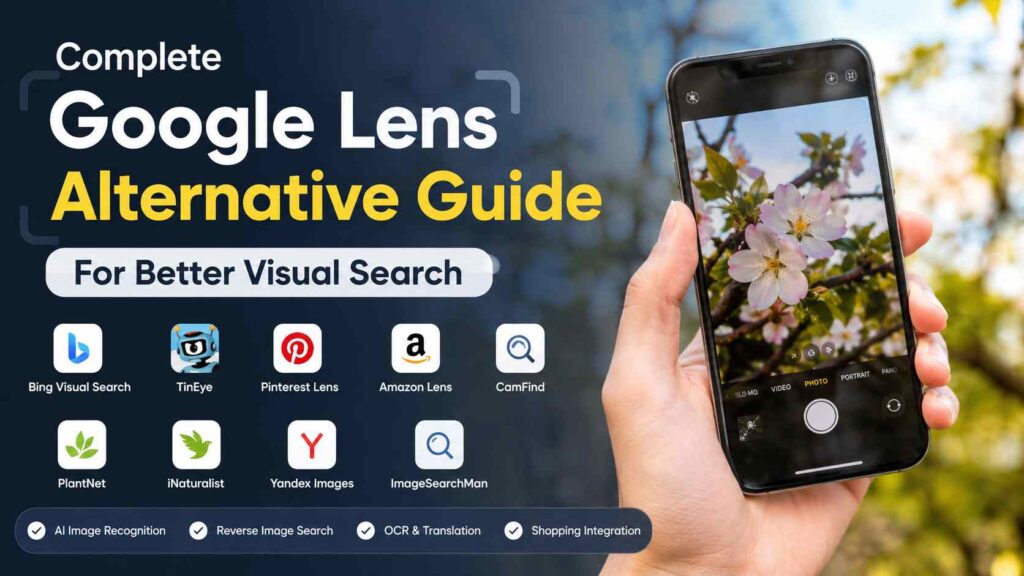
Looking for the best google lens alternative to improve your visual search experience? While Google Lens is a powerful tool, it may not offer the privacy, reverse image search accuracy, or specialized features that every user needs. Whether you’re identifying plants, finding similar products, translating text, or tracking image sources, choosing the right alternative can make your searches faster and more effective.
This complete guide explores the top Google Lens alternatives, compares their features, highlights their pros and cons, and helps you find the perfect visual search app for your specific needs. By the end, you’ll have all the information required to choose the best solution for smarter, more accurate visual searches.
What Are Google Lens?
Google Lens is an artificial intelligence (AI) visual search application developed by Google that uses machine learning and computer vision to recognize objects from images or a smartphone camera. Instead of typing a search query, users can simply point their camera at an object or upload a picture to receive detailed information.
Google Lens can recognize various items, including:
- Plants
- Animals
- Products
- Books
- Documents
- Landmarks
- Artwork
- QR Codes
- Business Information
- Food Items
It also includes Optical Character Recognition (OCR), allowing users to copy text from images, translate foreign languages, solve mathematical equations, and search directly from printed documents.
Although Google Lens is highly capable, it isn’t the perfect solution for every user, leading many people to search for a reliable alternative.
Why Do People Look for a Google Lens Alternative?
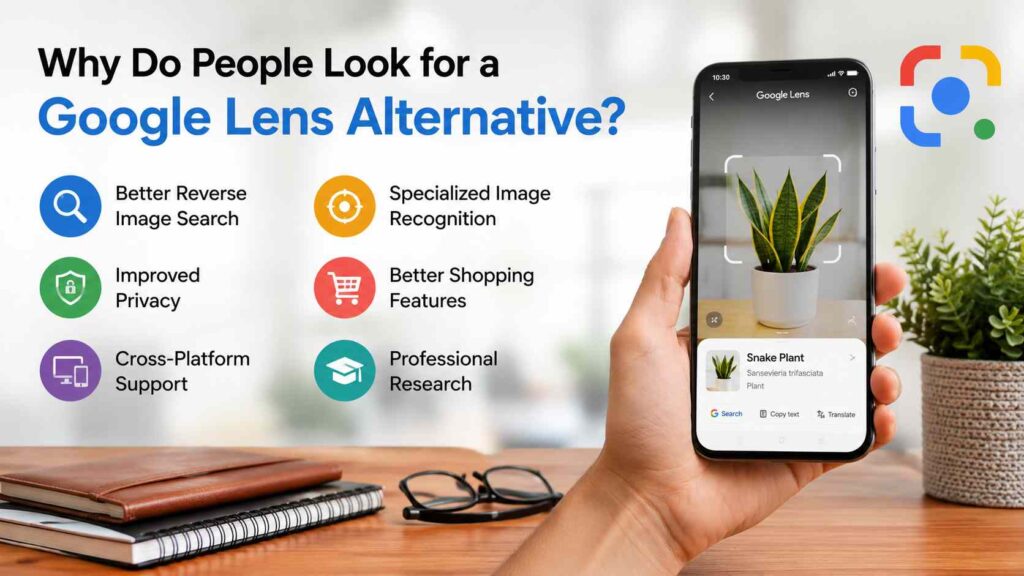
Despite its popularity, Google Lens has several limitations that encourage users to explore other visual search applications.
Better Reverse Image Search
Google Lens primarily focuses on object recognition rather than locating the original source of an image. Users who need accurate reverse image searches often prefer dedicated tools that specialize in finding duplicate or visually similar images across the web.
This is particularly useful for photographers, bloggers, journalists, and digital marketers.
Improved Privacy
Many users are concerned about how cloud-based services process uploaded images. Some alternatives emphasize stronger privacy controls, minimal data collection, and secure image processing, making them attractive to privacy-conscious users.
Cross-Platform Support
Google Lens works exceptionally well within Google’s ecosystem, but some competing tools provide seamless compatibility across Android, iPhone, Windows, macOS, and web browsers.
Users who frequently switch devices often appreciate this flexibility.
Specialized Image Recognition
Different applications specialize in different tasks. While Google Lens is designed for general-purpose recognition, some alternatives perform better in specific areas, including:
- Plant Identification
- Bird Recognition
- Mushroom Detection
- Artwork Identification
- Fashion Search
- Logo Recognition
- Product Discovery
Specialized AI models often provide more accurate results in their respective categories.
Better Shopping Features
Visual search has become a popular shopping tool.
Several Google Lens alternatives provide additional shopping features such as:
- Price Comparisons
- Multiple Retailers
- Product Reviews
- Similar Product Suggestions
- Discount Notifications
These features help shoppers make smarter purchasing decisions.
Professional Research
Researchers, educators, and journalists often require advanced reverse image search capabilities.
Certain alternatives are designed to trace image origins, verify authenticity, and locate duplicate content across the web more effectively than Google Lens.
Benefits of Using a Google Lens Alternative
Choosing the right visual search application can offer several advantages depending on your specific needs.
Some of these benefits include:
- Faster image recognition
- More accurate reverse image search
- Better OCR performance
- Improved multilingual translation
- Enhanced privacy protection
- Offline functionality
- Better shopping recommendations
- Specialized recognition databases
- Cross-platform compatibility
- AI-powered object identification
Many users combine multiple visual search tools to maximize accuracy and functionality.
Essential Features to Look For
Before choosing a google lens alternative, consider the following important features.
AI Image Recognition
Artificial intelligence determines how accurately an application identifies objects.
A quality application should recognize:
- Everyday Objects
- Animals
- Plants
- Vehicles
- Buildings
- Logos
- Artwork
- Food
- Products
- Text
Larger AI training datasets generally produce more reliable results.
Reverse Image Search
Reverse image search allows users to upload an existing image and discover matching or visually similar images online.
This feature helps users:
- Verify image authenticity
- Find original image sources
- Locate higher-resolution versions
- Detect stolen images
- Discover visually similar products
Optical Character Recognition (OCR)
OCR technology extracts text from photographs and scanned documents.
A good application should enable users to:
- Copy Text
- Translate Languages
- Edit Documents
- Search Extracted Text
- Save Information Digitally
Students, travelers, and professionals especially benefit from this capability.
Real-Time Camera Search
Modern AI applications analyze objects instantly through a smartphone camera.
Common uses include:
- Identifying Plants
- Translating Menus
- Recognizing Landmarks
- Reading Signs
- Scanning QR Codes
- Comparing Products
Real-time recognition makes visual search much more convenient.
Shopping Integration
Many users rely on visual search while shopping online.
Useful shopping features include:
- Product Recommendations
- Price Comparison
- Customer Reviews
- Availability Information
- Similar Products
- Retailer Listings
These tools simplify purchasing decisions and help users find better deals.
Translation Features
Travelers often depend on image translation.
Leading applications can instantly translate:
- Restaurant Menus
- Street Signs
- Books
- Product Labels
- Documents
- Instructions
This feature eliminates language barriers during international travel.
Speed and Accuracy
The best visual search applications produce highly accurate results within seconds.
Recognition should remain reliable under various lighting conditions and image qualities.
Cross-Platform Compatibility
An ideal google lens alternative should support:
- Android
- iPhone
- Windows
- macOS
- Chrome Browser
- Web Applications
Multi-device support improves flexibility and convenience.
Privacy and Security
When selecting a visual search application, evaluate its privacy practices.
Look for tools that offer:
- Encrypted Image Uploads
- Transparent Privacy Policies
- Minimal Data Collection
- User-Controlled Image Deletion
- Secure Cloud Processing
These features help protect personal information and sensitive documents.
Types of Google Lens Alternatives
Different visual search applications are designed for different purposes.
| Type | Best Use |
| Reverse Image Search | Finding image sources and duplicates |
| AI Object Recognition | Identifying everyday objects |
| Plant Identification | Recognizing flowers and trees |
| Shopping Search | Finding products online |
| OCR & Translation | Extracting and translating text |
| Educational Apps | Learning about animals, landmarks, and artwork |
| Productivity Tools | Document scanning and text recognition |
Choosing the right category ensures you find the tool that best matches your requirements.
Top Google Lens Alternatives
Choosing the right google lens alternative depends on how you plan to use visual search. Some applications are excellent for reverse image searches, while others specialize in shopping, identifying plants, or recognizing landmarks. Below are five of the best alternatives, along with their features, advantages, disadvantages, and ideal use cases.
1. Bing Visual Search
Bing Visual Search, developed by Microsoft, is one of the strongest competitors to Google Lens. It uses artificial intelligence to identify objects, landmarks, products, animals, and text from uploaded images or photos taken with your camera.
Unlike Google Lens, Bing Visual Search performs exceptionally well when searching for visually similar images across the web. It also integrates seamlessly with Microsoft’s search engine, making it an excellent choice for users who already use Microsoft services.
Key Features
- AI-powered image recognition
- Reverse image search
- Product identification
- Shopping recommendations
- Landmark recognition
- OCR text extraction
- Browser-based access
- Mobile-friendly interface
Pros
- Completely free to use
- No app installation required for web users
- Accurate reverse image matching
- Excellent product search capabilities
- Works on desktop and mobile devices
Cons
- Smaller image database than Google
- OCR features are not as advanced as Google Lens
- Limited offline functionality
Best For
- Reverse image searches
- Product identification
- Online shopping
- Students and researchers
- Desktop users
2. TinEye
TinEye is a well-established reverse image search engine that has earned a strong reputation for delivering reliable and accurate image search results. Instead of identifying objects like Google Lens, TinEye specializes in finding where an image appears online.
It is widely used by photographers, journalists, copyright owners, bloggers, and digital marketers to verify image ownership, locate original sources, and detect unauthorized image usage.
Unlike traditional visual search tools, TinEye focuses on image matching rather than object recognition.
Key Features
- Reverse image search
- Image source detection
- Duplicate image finder
- Copyright monitoring
- Image tracking
- Browser extensions
- API access for businesses
Pros
- Extremely accurate reverse image search
- Excellent for copyright protection
- Finds modified versions of images
- Fast search results
- No unnecessary advertisements
Cons
- Cannot identify everyday objects
- Limited shopping functionality
- No text translation
- No OCR support
Best For
- Photographers
- Content creators
- Copyright protection
- Digital marketers
- Journalists
3. Pinterest Lens
Pinterest Lens is designed primarily for visual discovery and inspiration. Instead of simply identifying objects, it helps users discover similar products, fashion items, home décor ideas, recipes, and creative projects.
The application analyzes an uploaded image and recommends visually similar content available throughout Pinterest’s enormous image library.
This makes Pinterest Lens one of the best google lens alternative options for users interested in fashion, interior design, DIY projects, and lifestyle inspiration.
Key Features
- AI visual search
- Fashion recognition
- Home décor discovery
- Recipe suggestions
- Shopping recommendations
- Style inspiration
- Visual bookmarking
Pros
- Excellent for discovering ideas
- Beautiful visual interface
- Great shopping inspiration
- Huge image database
- Personalized recommendations
Cons
- Limited reverse image search
- Not designed for document scanning
- Limited OCR capabilities
- Less suitable for professional research
Best For
- Interior designers
- Fashion lovers
- Home decorators
- DIY enthusiasts
- Online shoppers
4. Amazon Lens
Amazon Lens focuses entirely on shopping. Users simply point their smartphone camera at a product, and the application searches Amazon’s marketplace for identical or similar items.
If your primary goal is finding products, comparing prices, or purchasing online, Amazon Lens is among the most practical alternatives available.
It also recommends similar products when an exact match is unavailable.
Key Features
- Product recognition
- Barcode scanning
- Price comparison
- Shopping recommendations
- Similar product suggestions
- Amazon marketplace integration
Pros
- Extremely accurate product recognition
- Fast shopping results
- Large product database
- Easy price comparisons
- Excellent mobile experience
Cons
- Mainly limited to Amazon products
- Not useful for landmarks or plants
- No reverse image search
- Limited OCR features
Best For
- Online shoppers
- Amazon customers
- Product comparisons
- Retail buyers
- Gift shopping
5. CamFind
CamFind is one of the earliest AI-powered visual search applications and remains a reliable option for recognizing everyday objects.
Instead of relying solely on image matching, CamFind analyzes objects using artificial intelligence and provides detailed search results from multiple online sources.
Users can identify furniture, vehicles, landmarks, electronics, artwork, and many other objects simply by taking a photo.
Key Features
- AI object recognition
- Voice search integration
- Barcode scanning
- Product search
- Image recognition
- QR code scanning
- Multi-language support
Pros
- Easy to use
- Good object recognition
- Supports voice search
- Multiple search categories
- Beginner-friendly interface
Cons
- Slower than Google Lens
- Smaller recognition database
- Occasional recognition errors
- Limited offline support
Best For
- General users
- Students
- Travelers
- Everyday object recognition
- Educational purposes
Quick Comparison of the First Five Alternatives
| Tool | Best For | Free Version | Reverse Image Search | Shopping | OCR | AI Object Recognition |
| Bing Visual Search | General visual search | ✅ | ✅ | ✅ | ✅ | ✅ |
| TinEye | Image source tracking | ✅ | ✅ | ❌ | ❌ | ❌ |
| Pinterest Lens | Fashion & home décor | ✅ | ❌ | ✅ | ❌ | ✅ |
| Amazon Lens | Product search | ✅ | ❌ | ✅ | Limited | ✅ |
| CamFind | Everyday object recognition | ✅ | Limited | ✅ | Limited | ✅ |
Which One Should You Choose?
There is no single google lens alternative that fits every user. The best option depends on your goals.
- Choose Bing Visual Search if you want an all-around visual search experience.
- Choose TinEye if your priority is finding the original source of an image.
- Choose Pinterest Lens for fashion, lifestyle, and creative inspiration.
- Choose Amazon Lens if you frequently shop online and want quick product matches.
- Choose CamFind if you need a simple AI-powered tool for recognizing everyday objects.
6. PlantNet
PlantNet is one of the most trusted applications for identifying plants, flowers, trees, shrubs, and herbs. Developed through collaboration between scientists and research organizations, it uses artificial intelligence and a large botanical database to recognize plant species from photos.
Unlike Google Lens, which offers general object recognition, PlantNet focuses entirely on botany. This specialization makes it significantly more accurate for gardeners, students, researchers, hikers, and nature enthusiasts.
Key Features
- AI-powered plant identification
- Extensive botanical database
- Scientific plant information
- Community-contributed observations
- Multiple photo recognition
- Free to use
- Regular database updates
Pros
- Highly accurate plant recognition
- Large database of species
- Completely free
- Educational information included
- Great for outdoor activities
Cons
- Limited to plants only
- No reverse image search
- No shopping features
- No document scanning
Best For
- Gardeners
- Students
- Nature lovers
- Botanists
- Travelers exploring wildlife
7. iNaturalist
iNaturalist is another excellent google lens alternative, especially for identifying wildlife. Created through a partnership between scientists and conservation organizations, it recognizes plants, insects, birds, reptiles, mammals, and fungi.
Users can upload images, receive AI-powered suggestions, and contribute observations to a global biodiversity database.
Key Features
- Wildlife identification
- AI species recognition
- Community verification
- Geographic species mapping
- Educational resources
- Observation history
Pros
- Excellent biodiversity database
- Accurate species recognition
- Community-supported identifications
- Completely free
- Great educational value
Cons
- Not suitable for shopping
- Limited OCR features
- No reverse image search
- Requires internet for best results
Best For
- Wildlife enthusiasts
- Students
- Researchers
- Bird watchers
- Conservationists
8. Snapseed (OCR Companion Workflow)
Although Snapseed is primarily a photo editing application, many users combine it with OCR or visual search tools to improve image quality before recognition. Enhancing brightness, contrast, and sharpness often leads to better OCR and object detection results.
This makes Snapseed a valuable companion rather than a direct replacement.
Key Features
- Professional photo editing
- Image enhancement
- Crop and perspective correction
- HDR filters
- Noise reduction
- Selective adjustments
Pros
- Free professional editing tools
- Improves OCR accuracy
- Easy-to-use interface
- High-quality export
- Available on Android and iOS
Cons
- Not a visual search app
- No object recognition
- No reverse image search
- No shopping features
Best For
- Photographers
- Students scanning documents
- Content creators
- Improving images before AI analysis
9. Yandex Images
Yandex Images is one of the strongest reverse image search engines available. Many users consider it even more effective than Google for finding visually similar images, faces, landmarks, and products.
Its powerful image matching algorithm often locates results that other search engines miss.
Key Features
- Reverse image search
- Face recognition
- Similar image discovery
- Product search
- Landmark recognition
- Browser-based search
Pros
- Outstanding image matching
- Excellent facial similarity search
- Free to use
- Large searchable image index
- Fast search speed
Cons
- Interface may feel less intuitive
- Limited OCR features
- Privacy concerns for some users
- Not focused on document scanning
Best For
- Reverse image searches
- Finding image sources
- Similar image discovery
- Researchers
- Designers
10. ImageSearchMan
ImageSearchMan is a lightweight Android application that searches multiple image search engines simultaneously. Instead of relying on a single provider, it allows users to compare results from different platforms.
This increases the likelihood of finding the exact image or product being searched.
Key Features
- Multi-engine image search
- Reverse image upload
- Image download support
- Browser integration
- Fast search
- Lightweight application
Pros
- Searches multiple engines
- Simple interface
- Fast performance
- Free version available
- Good for casual users
Cons
- Android only
- Basic interface
- Limited AI recognition
- No OCR functionality
Best For
- Android users
- Reverse image searching
- Casual browsing
- Product comparisons
Complete Comparison Table
| Tool | Reverse Image Search | AI Recognition | OCR | Shopping | Best For |
| Bing Visual Search | ✅ | ✅ | ✅ | ✅ | General visual search |
| TinEye | ✅ | ❌ | ❌ | ❌ | Image source verification |
| Pinterest Lens | Limited | ✅ | ❌ | ✅ | Fashion & home décor |
| Amazon Lens | ❌ | ✅ | Limited | ✅ | Shopping |
| CamFind | Limited | ✅ | Limited | ✅ | Everyday objects |
| PlantNet | ❌ | ✅ | ❌ | ❌ | Plant identification |
| iNaturalist | ❌ | ✅ | ❌ | ❌ | Wildlife recognition |
| Snapseed | ❌ | ❌ | ❌ | ❌ | Image enhancement |
| Yandex Images | ✅ | Limited | ❌ | Limited | Reverse image search |
| ImageSearchMan | ✅ | Limited | ❌ | Limited | Multi-engine image search |
How to Choose the Best Google Lens Alternative
The ideal google lens alternative depends entirely on your specific requirements. Rather than selecting the most popular application, focus on the features that matter most to your daily tasks.
If you mainly shop online, choose a tool with strong product recognition and price comparison capabilities. If you frequently verify image authenticity, prioritize reverse image search performance. Travelers may benefit most from applications offering text translation and landmark recognition, while students and researchers often need accurate OCR and document scanning.
Before making your decision, consider these factors:
- Recognition accuracy
- Speed of results
- Reverse image search quality
- Privacy and security
- Device compatibility
- Ease of use
- Offline functionality
- AI capabilities
- Database size
- Free vs. premium features
Trying several tools can help you determine which one best matches your workflow.
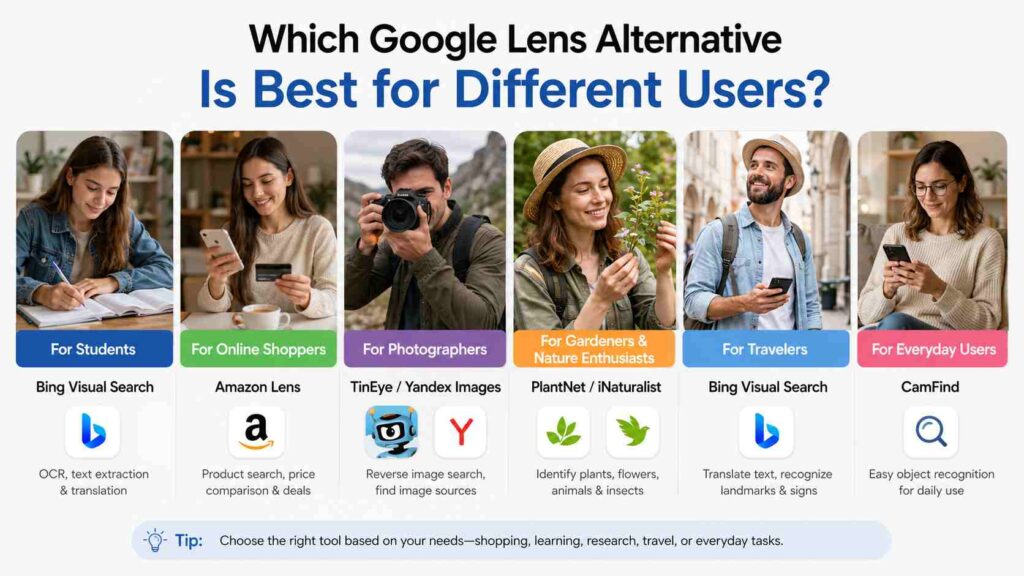
Which Google Lens Alternative Is Best for Different Users?
For Students
Students benefit most from applications with OCR, text extraction, and translation features. Bing Visual Search is an excellent choice because it combines visual search with document recognition.
For Online Shoppers
Amazon Lens is ideal for shoppers who want to compare products, locate similar items, and check prices quickly.
For Photographers
TinEye and Yandex Images are the strongest options for finding original image sources, detecting unauthorized image usage, and locating higher-resolution versions.
For Gardeners and Nature Enthusiasts
PlantNet and iNaturalist provide far more accurate plant and wildlife recognition than general-purpose visual search applications.
For Travelers
Bing Visual Search offers useful landmark recognition, text translation, and object identification, making it a practical travel companion.
For Everyday Users
CamFind remains a simple and reliable option for recognizing common objects without requiring advanced technical knowledge.
Free vs. Paid Google Lens Alternatives
Many visual search applications offer impressive free versions, while premium plans provide additional features such as faster processing, expanded databases, cloud storage, API access, or advanced recognition capabilities.
For most users, the free versions of Bing Visual Search, TinEye, PlantNet, and iNaturalist provide more than enough functionality for everyday use. Businesses, researchers, and professionals with specialized needs may benefit from premium features, but casual users can often achieve excellent results without paying.
Final Thoughts
Choosing the best google lens alternative ultimately depends on how you use visual search technology. If you need a well-rounded solution for everyday tasks such as identifying objects, translating text, and searching for products, Bing Visual Search is one of the strongest overall alternatives. For photographers and researchers, TinEye and Yandex Images provide exceptional reverse image search capabilities, while PlantNet and iNaturalist are excellent choices for identifying plants and wildlife with remarkable accuracy. Each tool has its own strengths, making it important to match the application to your specific needs rather than simply selecting the most popular option.
As artificial intelligence continues to improve, visual search technology is becoming more accurate, faster, and more accessible. Whether you are shopping online, verifying image authenticity, learning about nature, scanning documents, or exploring new places, the right google lens alternative can save time and provide more relevant results. By comparing features, privacy practices, compatibility, and pricing, you can confidently choose a visual search solution that enhances your productivity and simplifies your daily tasks.
FAQs about google lens alternative
1. What is the best Google Lens alternative?
The best google lens alternative depends on your needs. Bing Visual Search is great for everyday use, while TinEye is ideal for reverse image search and PlantNet excels at plant identification.
2. Is there a free Google Lens alternative?
Yes. Several free options are available, including Bing Visual Search, TinEye, PlantNet, iNaturalist, and Pinterest Lens. Each offers unique features for different visual search tasks.
3. Which Google Lens alternative is best for reverse image search?
TinEye and Yandex Images are among the best tools for reverse image searches. They help you find image sources, duplicates, and visually similar photos online.
4. Can I use Google Lens alternatives on Android and iPhone?
Yes. Most popular visual search apps, including Bing Visual Search, Pinterest Lens, PlantNet, and Amazon Lens, are available on both Android and iPhone devices.
5. Which Google Lens alternative is best for shopping?
Amazon Lens is the best choice for shopping. It identifies products, compares similar items, and helps you find products available on Amazon.
6. What features should I look for in a visual search app?
Choose an app with AI image recognition, reverse image search, OCR, translation, fast performance, and strong privacy features for the best experience.
7. Which app is best for identifying plants and wildlife?
PlantNet is ideal for identifying plants, while iNaturalist is better for recognizing birds, insects, animals, and other wildlife.
8. Are Google Lens alternatives safe to use?
Yes, most trusted apps are safe to use. Download them from official app stores and review their privacy policies before uploading personal images.
9. Do Google Lens alternatives work offline?
Some apps offer limited offline features, but most require an internet connection for accurate image recognition and search results.
10. How do I choose the right google lens alternative?
Choose a google lens alternative based on your needs. Use Bing Visual Search for everyday tasks, TinEye for reverse image searches, Amazon Lens for shopping, and PlantNet for plant identification.
Continue Reading
Technology News ExcnTech: Complete Guide to Digital Innovation
Technology Regulation Ecosystems Transforming Sustainable Fashion Industry
Rehabilitation Technology News: Innovations and Future Trends